

If your WordPress site is compromised, it can harm your reputation, damage SEO rankings, and even expose sensitive customer data.
The good news? You can spot the signs early and take action before things get worse.
In this guide, we’ll discuss the common signs of a hacked WordPress site, how to confirm it, steps to fix it, and how to prevent it from happening again.
Common Signs Your WordPress Site is Compromised
Sometimes, it’s obvious when your site is hacked. Other times, the changes are subtle.
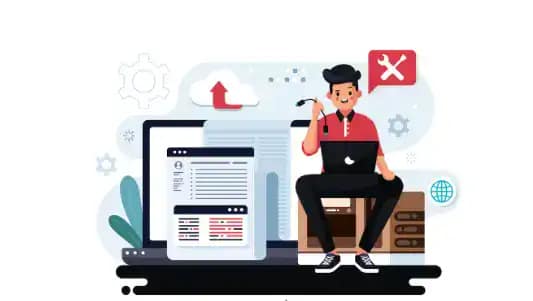
Here are the most common signs to look out for:
- Unusual Website Behavior: If your site suddenly becomes slow, crashes often, or redirects visitors to strange websites, it may be compromised. For example, if you click on your homepage and it sends you to an unrelated gambling or pharmacy site, that’s a red flag.
- Unauthorized Content Changes: Hackers often inject spammy pages, hidden links, or strange pop-ups. If you notice posts or pages that you did not create, your WordPress installation might be infected with malware.
- Unexpected User Accounts: Check your WordPress dashboard under “Users.” If you see new administrators or editors you didn’t create, it’s likely that someone has gained unauthorized access.
- Browser or Search Engine Warnings: If you see messages like “This site may harm your computer” on Google or a red warning screen saying “Deceptive site ahead” when you open your site, it means your website has been blacklisted due to suspicious activity.
- Suspicious Server Activity: Log in to your hosting account. If you see unusual spikes in CPU usage, memory load, or bandwidth consumption without increased traffic, your site may be hosting hidden malware or spam bots.
- Email Spam from Your Domain: If customers or users report receiving spam emails from your domain, your server could have been hijacked. Hackers often use compromised sites to send mass spam emails.
Read about: WordPress Maintenance Services Key Offerings
How to Confirm if Your WordPress Site is Hacked?
Not every slowdown or glitch means your site is hacked. To be sure, you can:
- Use a Security Plugin: Install trusted security plugins like SolidWP Security. These tools scan your site for malware, backdoors, and suspicious files. For example, SolidWP alerts you if it finds modified WordPress core files.
- Scan Files for Malicious Code: Check your website’s files using a malware scanner provided by your host or plugins. Look for unknown PHP scripts or strange file names inside your
/wp-content/folder.
- Check Server and Error Logs: Your hosting account’s control panel has logs that track server requests. Review them for repeated failed login attempts, unknown IP addresses, or strange file executions.
- Test for Redirects or Iframe Injections: Visit your website using different devices or browsers. Sometimes, hacks only show up for mobile visitors or search engine bots. If you see hidden iframes or suspicious redirects, it’s a sign of compromise.
Explore: Benefits Of Outsourcing WordPress Development Services
DIY vs Professional Help from WP Agencies
When your WordPress site is compromised, you have two options: fix it yourself or hire professionals. Both approaches have their pros and cons. Understanding the difference can help you make the right decision for your website’s security.
The DIY Approach
Handling the cleanup yourself can be cost-effective and empowering. With the right tutorials, plugins, and backups, you can remove malware, reset passwords, and secure your site.
This method works well for minor issues, such as deleting a suspicious plugin or updating outdated themes. However, the DIY route can be time-consuming and risky. If you miss hidden backdoors or database injections, hackers can easily strike again.
Professional Help from WP Agencies
WordPress agencies like Seahawk Media specialize in malware cleanup and security hardening. Our experts know exactly where to look for infections, how to remove them, and how to patch vulnerabilities.

Unlike a DIY approach, our professionals provide thorough audits, ongoing monitoring, and long-term protection strategies. This not only saves time but also ensures complete safety, especially for business websites that can’t afford downtime.
Know more: What Services Are Offered By White-label Service Providers
Choosing the Right Option
If your site faces a minor issue and you’re comfortable with basic WordPress tasks, trying a DIY fix might work.
But if the hack is severe, recurring, or affecting your reputation and revenue, professional help is the safer choice. Seahawk Media brings both expertise and speed, ensuring your website is not only cleaned but also fortified against future attacks.
Secure Your WordPress Site with Seahawk Media
Our WordPress security experts specialize in malware removal, site cleanup, and long-term protection strategies.
Steps to Fix a Compromised WordPress Site
If you confirm your site has been hacked, act quickly. However, before making changes, fully back up your website files and database.
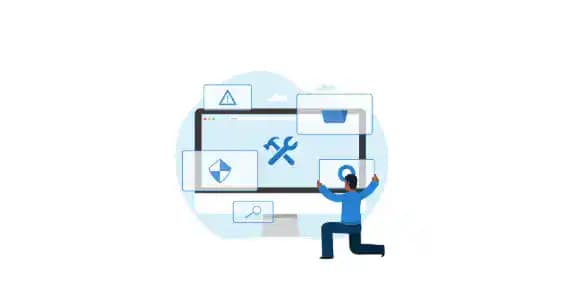
Even if the backup contains malware, you may need it for reference or partial recovery. Next, follow these steps:
- Put the Site in Maintenance Mode: Switch to maintenance mode so visitors don’t land on a compromised site. Many plugins like SeedProd or WP Maintenance Mode can help.
- Update WordPress Core, Themes, and Plugins: Hackers often exploit outdated versions. Update WordPress to the latest version. Also, update all themes and plugins. If you find unused plugins or themes, delete them completely.
- Remove Malicious Code & Files: Use a malware removal tool or manually delete suspicious files. Look for strange file names like
wp-config.php.oldorindex.php1. Hackers often hide backdoors in theme or plugin folders.
- Reset Passwords & Revoke Access: Change all passwords for the WordPress admin, hosting account, FTP, and database. Also, remove any suspicious user accounts.
- Reinstall Clean Versions of WordPress: Download a fresh copy of WordPress from WordPress.org and overwrite the old files (except the /wp-content/ folder and wp-config.php). This ensures that core files are clean.
- Scan the Database for Malware: Hackers sometimes inject malicious scripts into your database. Search for unknown JavaScript, iframes, or suspicious links in your posts and pages. Plugins like WP-DBManager can help.
Also read: Role Of SEO Site Audit In Boosting Your Online Presence
When to Seek Professional Help
While many WordPress hacks can be fixed on your own, some situations call for expert assistance. Professional help ensures that your website is cleaned thoroughly and secured against future attacks. Let’s look at the scenarios where reaching out to specialists is the best option.
If the Hack is Severe or Recurring
Sometimes, malware spreads deep into your files and database, making it extremely difficult to remove. If you’ve tried fixing the issue but the hack keeps coming back, it’s time to call in professionals. They have advanced tools and expertise to handle complex infections.
If You’re Blacklisted by Google or Hosting Providers
When your site is flagged as unsafe, visitors are blocked, and your SEO rankings take a hit. In such cases, experts can quickly clean your site, submit a review request, and help restore your online reputation.
Find out: Is WordPress Consultation Right for You
Benefits of 24/7 WordPress Support Services
Running a WordPress website means unexpected issues can arise at any time. From downtime to plugin conflicts, problems don’t follow business hours. This is where 24/7 WordPress support services become essential.
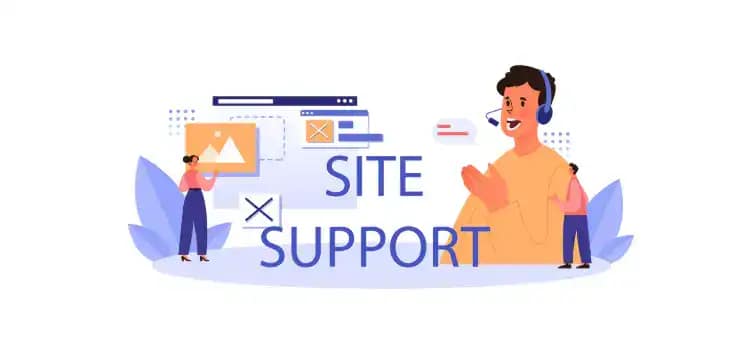
Let’s explore the main benefits of having round-the-clock assistance.
- Continuous Website Monitoring: With 24/7 support, your website is constantly monitored. This ensures any unusual activity, errors, or downtime is detected immediately, minimizing risks and preventing major disruptions.
- Faster Issue Resolution: Instead of waiting until the next business day, you get instant help. Whether it’s a broken plugin or a hacked site, experts can step in right away to resolve the problem.
- Enhanced Security and Protection: WordPress support teams proactively update your site, install firewalls, and scan for malware. Around-the-clock security checks reduce the chances of compromise and keep your site safe from hackers.
- Improved Website Performance: Ongoing support includes performance optimization such as speed checks, caching improvements, and database cleanup. This ensures your site remains fast and reliable for visitors.
- Reliable Backup and Recovery: Support services usually provide automated daily backups and quick recovery options. If your site ever crashes, it can be restored in minutes without data loss.
- Peace of Mind for Business Owners: Perhaps the greatest benefit is peace of mind. Knowing that experts are watching your website 24/7 allows you to focus on growing your business rather than worrying about technical issues.
By investing in 24/7 WordPress support, you ensure that your website stays secure, optimized, and available to visitors at all times.
Get Expert Help from WP Support Specialists
Your WordPress site deserves expert care around the clock. Our support specialists provide 24/7 monitoring, malware cleanup, performance optimization, and ongoing maintenance.
Preventing Future Compromises on WordPress Websites
Cleaning a hacked WordPress site is only half the battle. The next step is making sure the same issue doesn’t happen again.
By taking a few proactive measures, you can strengthen your site and protect it from future threats. Let’s look at the best practices you should follow.
- Keep WordPress Updated: Outdated software is one of the most common entry points for hackers. Therefore, always run the latest version of WordPress, themes, and plugins. You can even enable auto-updates to save time and reduce risks.
- Use a Firewall and Security Plugin: A firewall acts as a protective shield between your site and attackers. It blocks malicious traffic before it reaches your website. Tools like Sucuri Firewall or Cloudflare add an extra layer of defense.
- Use Passwords and 2FA: Weak passwords are easy to guess. Instead, create complex ones using letters, numbers, and symbols. In addition, enable two-factor authentication (2FA) so even if someone guesses your password, they still need a second code to log in.
- Limit User Roles and Permissions: Not every user needs full control of your site. Assign the lowest role necessary. For instance, authors can create posts but shouldn’t be allowed to install plugins.
- Schedule Regular Backups: Backups are your safety net. Set up automated backups using plugins like BlogVault. Always store copies offsite in cloud storage or on another server.
- Monitor Activity and Logs: Monitor your website’s activity. Activity logs help you track changes, detect suspicious behavior, and act quickly if something goes wrong.
By following these steps, you can greatly reduce the chances of future compromises and keep your WordPress site secure.
Discover: Guide to WordPress Support Services
Conclusion
A compromised WordPress site can be stressful, but the key is to act quickly. By learning to recognize the warning signs, scanning for malware, and applying the right fixes, you can regain control of your website.
More importantly, securing your site with regular updates, strong passwords, backups, and firewalls helps prevent future attacks.
If the issue is too complex or keeps recurring, seeking expert help from agencies like Seahawk Media ensures lasting protection.
Remember, your website is your digital storefront, so keeping it safe means protecting your reputation, customers, and business growth.
FAQs About WordPress Site Security
How do I know if my WordPress site is hacked?
If your site is hacked, you may notice slow performance, strange redirects, unknown users, or warnings from Google or your browser.
Can I fix a hacked WordPress site myself?
Yes, you can try removing malware with security plugins, updating files, and resetting passwords. However, complex hacks often require expert help.
Which plugin is best for WordPress security?
Popular security plugin options include Wordfence, Sucuri, and SolidWP Security. All of these provide malware scanning and firewall protection.
Will Google remove my site from search results if it’s hacked?
Not necessarily. However, Google may flag or blacklist compromised sites. Fixing the issue and requesting a review can restore visibility.
How often should I back up my WordPress site?
It’s best to back up your site regularly, ideally daily or weekly, depending on how often you update content.
What should I do if hackers create new admin accounts?
If hackers create new admin accounts, immediately delete the accounts, reset all passwords, and scan your site for hidden backdoors.
When should I hire a professional to fix my site?
Hire a professional if the hack is severe, keeps coming back, or impacts SEO and revenue.


